
SMS Notifications
Stay informed with real-time alerts from your Growbud sensors.
About SMS Notifications
At Growbud, we value your privacy and want to ensure you're fully informed about our SMS notification service. This page explains how to opt in, what you're agreeing to, and how you can manage your preferences.
How to Opt In
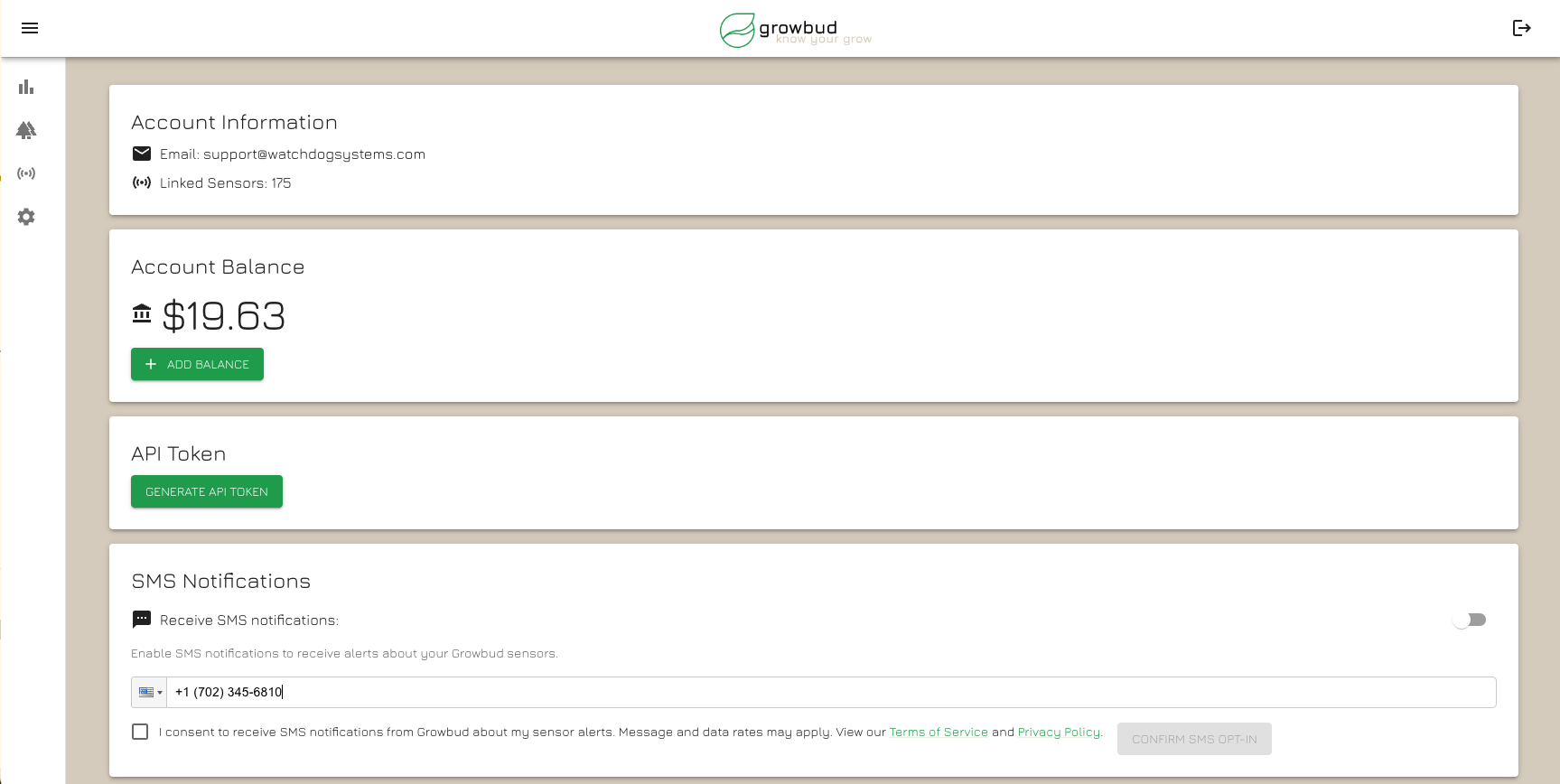
- 1Navigate to your Account Settings page.
- 2Find the "SMS Notifications" section.
- 3Toggle the switch to enable SMS notifications.
- 4Enter your phone number in the provided field.
- 5Read and check the consent box.
- 6Click the "Confirm SMS Opt-In" button.
- 7You'll receive a confirmation SMS to verify.
What You're Agreeing To
By opting in, you agree to receive SMS notifications from Growbud about:
- Alerts from your Growbud sensors
- Important account updates
- Service notifications
Message frequency varies based on your sensor settings and account activity. Message and data rates may apply.
Managing Your Preferences
You can update your phone number or opt out at any time:
- 1. Go to your Account Settings.
- 2. In the "SMS Notifications" section, you can:
- Update your phone number
- Toggle off SMS notifications to opt out
Data Usage & Privacy
We take your privacy seriously. Your phone number will only be used for the purposes you've consented to.
View our Privacy PolicyQuestions?
If you have any questions about our SMS notification service, please contact our support team.
Contact SupportRemember, your consent is voluntary, and you can opt out at any time.